 trad
trad
Tradoshi teamOfficial
Tradoshi always shows your results in the currency of your trading account. On a synced account, it comes from your broker. On an account imported from a file or entered by hand, you choose it yourself, in three steps.
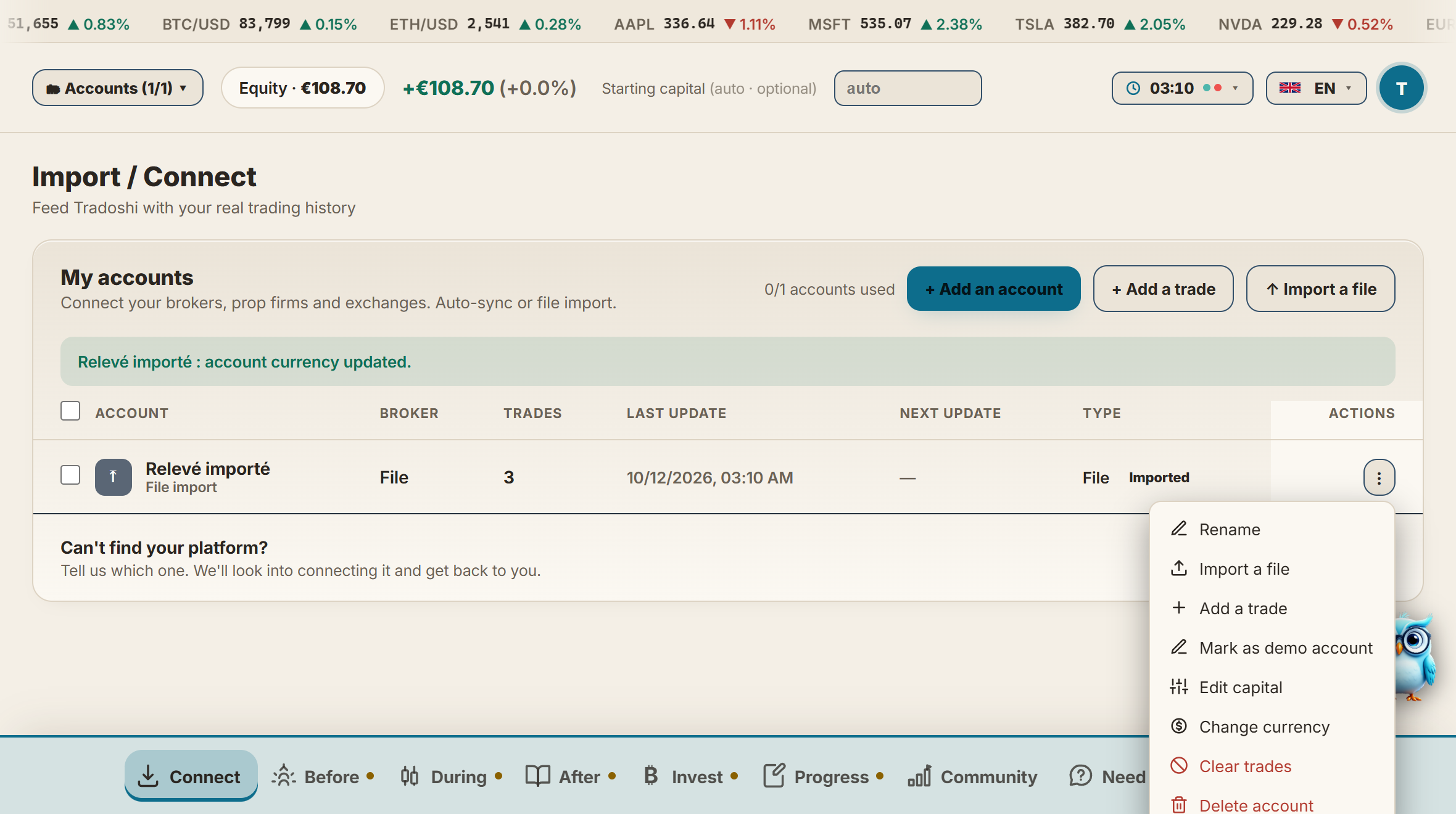
1. Open "Import / Connect"
Click the Connect tab in the navigation bar: the "Import / Connect" page opens, with the "My accounts" list.
2. Open the account's menu
At the end of the account's line, click the three dots ⋮, then Change currency.
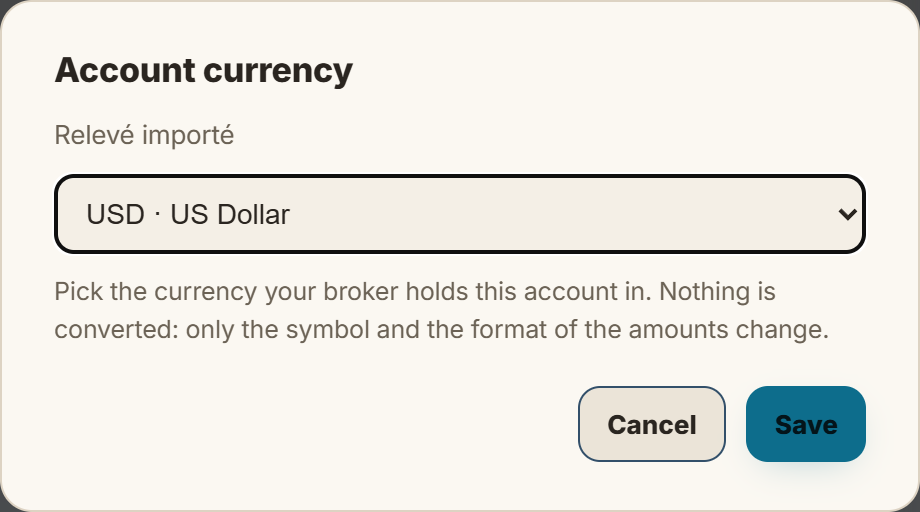
3. Pick the currency, then Save
Choose the currency your broker holds this account in: US dollar, euro, pound, Swiss franc and some twenty others.
Good to know
- Nothing is converted. Your trades, notes and ratings do not move: only the symbol and the format of the amounts change, everywhere in the journal.
- Your choice stays. The next files you import into this account keep the currency you picked.
- Synced account: nothing to do. The currency is read from your broker at every sync, so "Change currency" is not offered there.
A question about your currency or an import? Reply below, the team reads you.
#1
0