Before you start
- A cTrader ID, the account you sign in to cTrader with.
- At least one trading account with a broker running cTrader.
- Unlike other platforms, there is no token or credential to copy.
Pick cTrader, then Auto-sync
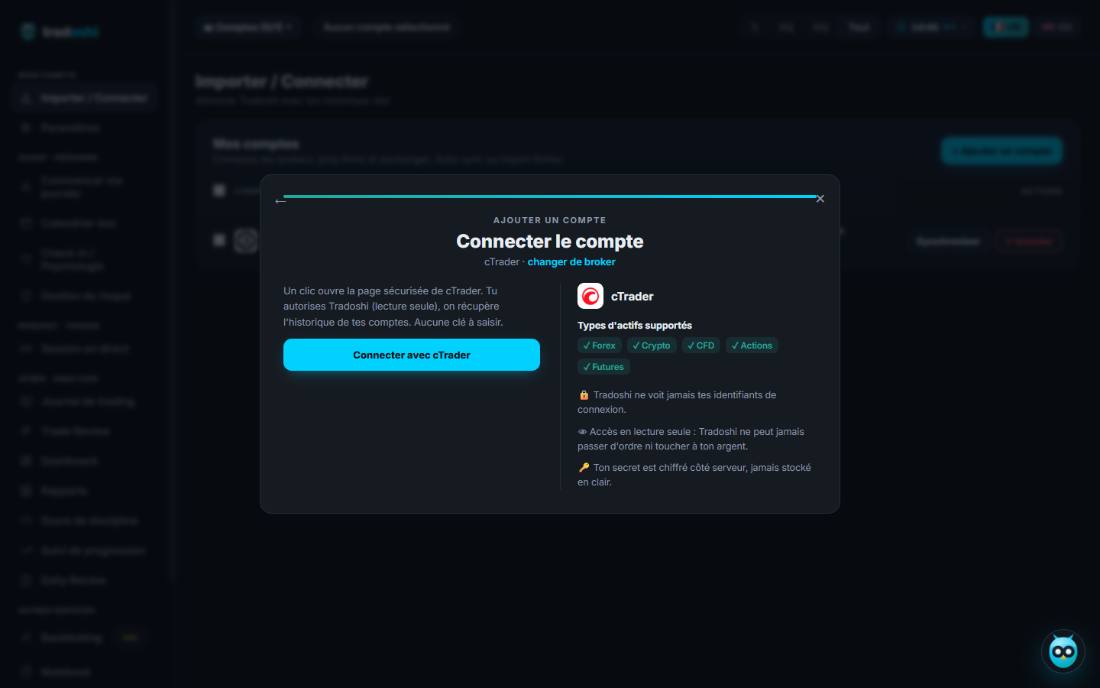
In Tradoshi, open Import / Connect, click + Add an account, search for cTrader, then pick Auto-sync.
The screen sums up what happens next, then all that's left is to click Connect with cTrader.
Authorise, and pick your accounts
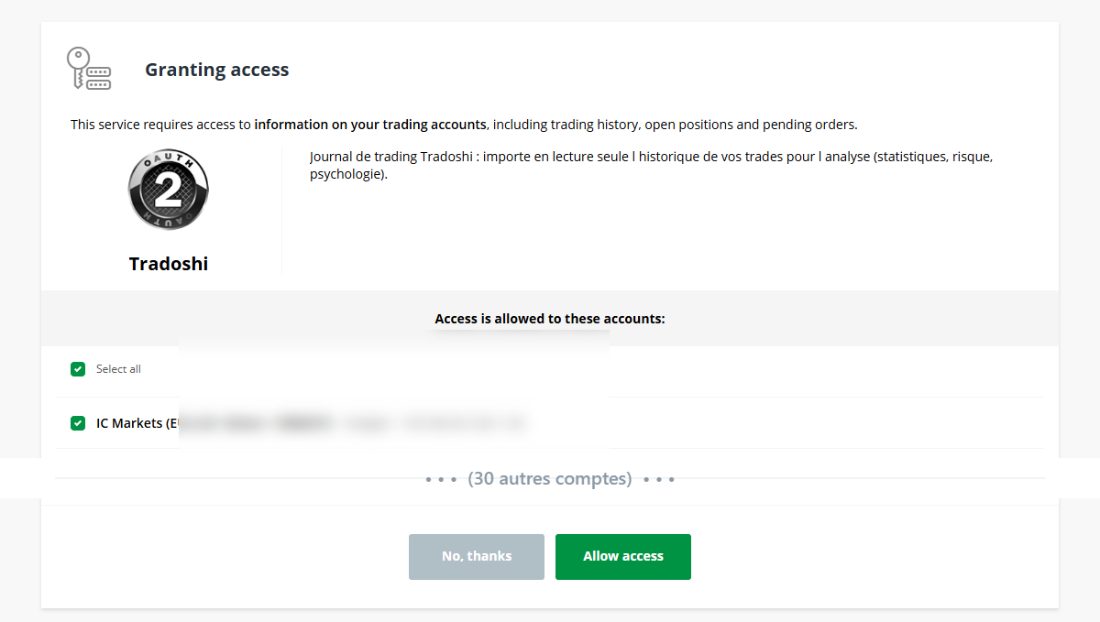
You're redirected to cTrader. The screen states what's requested: reading your history, open positions and pending orders. Nothing else is reachable.
Tick only the accounts you actually want to track. Everything is selected by default, and one cTrader ID can hold a lot of them.
Sync
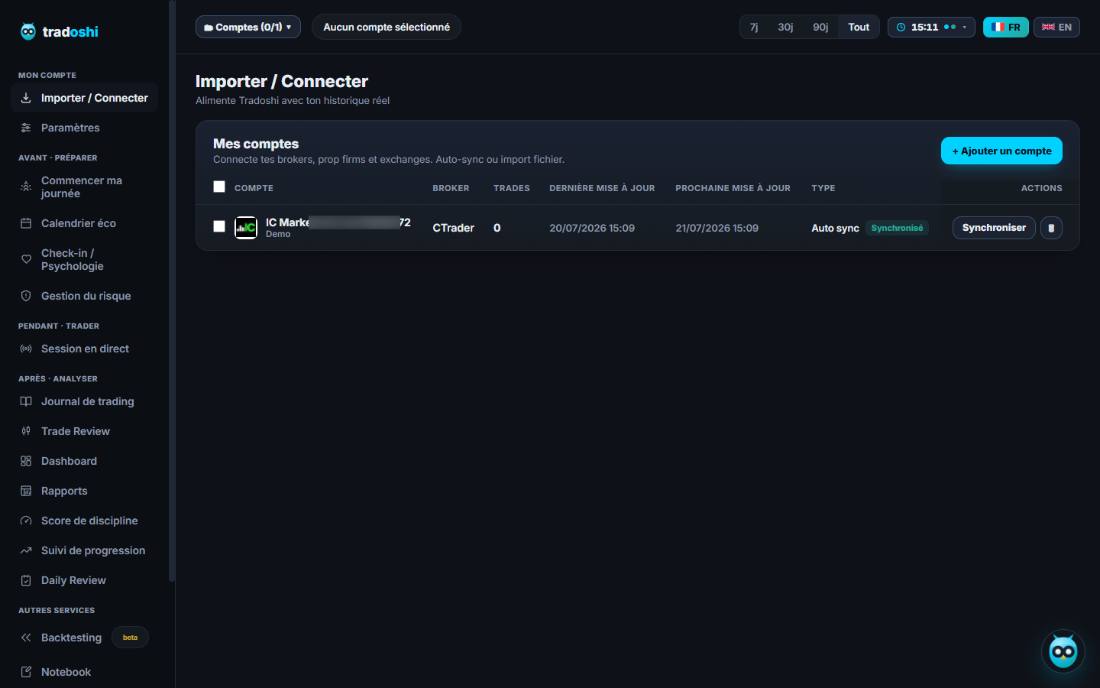
You're sent straight back to Tradoshi. The accounts you approved show up with a Synced badge and the time of the next update.
Click Sync to pull your history right away. After that it runs on its own, once a day.
Troubleshooting
“No account found for this cTrader ID”
No trading account is linked to that ID. Check in cTrader that your broker account is attached to it.
“The cTrader connection failed”
The authorisation was declined or interrupted. Click Connect with cTrader again and go all the way through.
Some of my accounts are missing
Your plan caps how many accounts you can connect. Remove one, or move up a plan.
My latest trades are missing
Run the sync again. It never creates duplicates: a trade that's already been imported is recognised and skipped.
Security: what Tradoshi can and cannot do
- Tradoshi never sees your cTrader password. You authenticate with cTrader, not with us.
- Access is read-only. Tradoshi cannot place, modify or cancel an order. That isn't a policy: the permission we ask for doesn't allow it.
- You can cut access at any time, from Tradoshi or from the Open API settings of your cTrader account.