NinjaTrader at a glance
| Instruments listed on its website | Forex, metals, commodities, shares and futures |
|---|
| Entity | I.F. Greenfields Wealth Ltd |
|---|
| Connection to Tradoshi | One-click OAuth, or the free add-on |
|---|
Connecting NinjaTrader: two cases, and how to tell which is yours
Now that NinjaTrader and Tradovate share one identity, a NinjaTrader account connects in one click, over OAuth, exactly like a Tradovate account. Not everyone is in that case though: if your NinjaTrader Desktop is wired to a third-party broker, through Rithmic for instance, your account does not live at NinjaTrader and OAuth will not see it. That is where the free add-on takes over.
1. Try the one-click connection first
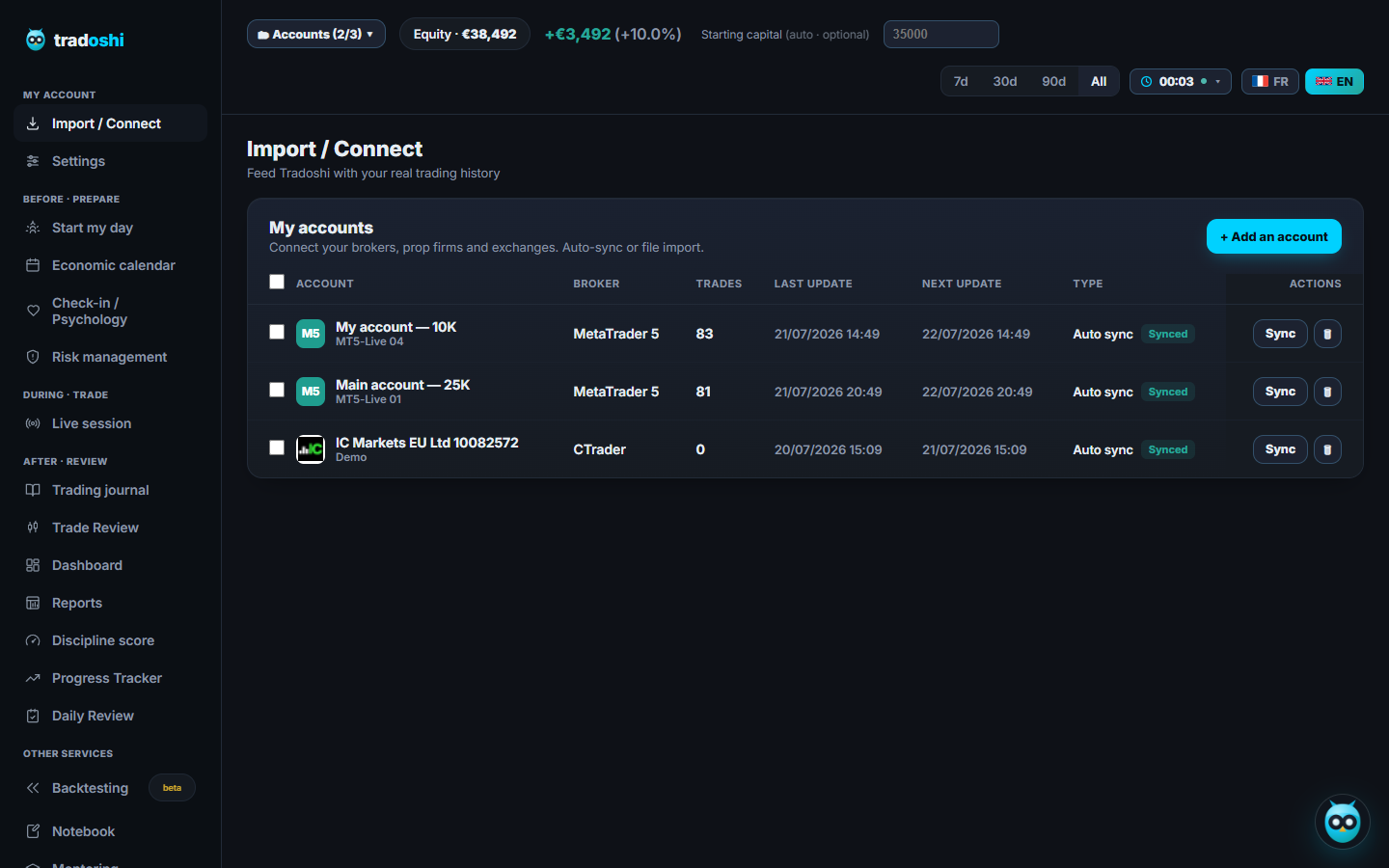
In Tradoshi, open Import / Connect, click + Add an account, search for NinjaTrader and start the connection. You are redirected to NinjaTrader, you sign in there, and you grant read-only access. No password is ever handed to us.
2. Look at what comes back, that is what decides
Your accounts show up: you are done, syncing starts on its own. Nothing shows up: your account sits at a third-party broker, and Tradoshi offers you the add-on right there. Nothing to guess in advance.
3. The third-party broker case: the free add-on
It is a NinjaScript module you install in your NinjaTrader 8 (Tools → Import → NinjaScript Add-On). It runs on your machine and pushes your executions to Tradoshi, in that direction only. No credentials reach us, and nothing ever travels back to your platform.
Full NinjaTrader guide →
NinjaTrader with Tradoshi
Futures
- ✓ Automatic sync of your history
- ✓ Statement import (HTML/CSV) as a backup
Every NinjaTrader trade lands in your futures journal, fees included, alongside your stats and discipline.
No NinjaTrader account yet?
You can install it, test your strategy on historical data and trade in simulation before funding anything. And it is the futures platform our add-on pushes your executions into Tradoshi from, automatically, with no file to upload.

- Free for charting, backtesting and simulation. Their words, not ours: “always free to use for advanced charting, backtesting and trade simulation”.
- Market Replay: replay a session tick by tick. Your journal tells you what to fix, Market Replay lets you rehearse it before risking a cent on it.
- Thousands of add-ons, indicators and strategies, ours included, plus order flow tools to read the book.
- Desktop, web and mobile, same account. Voted Best Trading Software by Stocks & Commodities readers in 2024.
Discover NinjaTrader ↗
Frequently asked questions
Can Tradoshi trade on my NinjaTrader account?
No, in both cases. Over OAuth, the access you grant is read-only. With the add-on, it is your NinjaTrader that sends executions to Tradoshi, in that direction only: nothing travels back to your platform.
Do I have to install the NinjaTrader add-on?
Only if your account sits at a third-party broker, through Rithmic for instance. A NinjaTrader account connects in one click over OAuth, with nothing to install. Try the one-click connection first: if no account shows up, you are in the add-on case.
Is my NinjaTrader data safe?
Yes. Over OAuth you sign in at NinjaTrader, not with us, so no password is handed over and you can revoke access whenever you want. With the add-on, no credentials reach us either: it runs on your machine and sends only your executions.
Connect NinjaTrader for free →