The direct feed at a glance
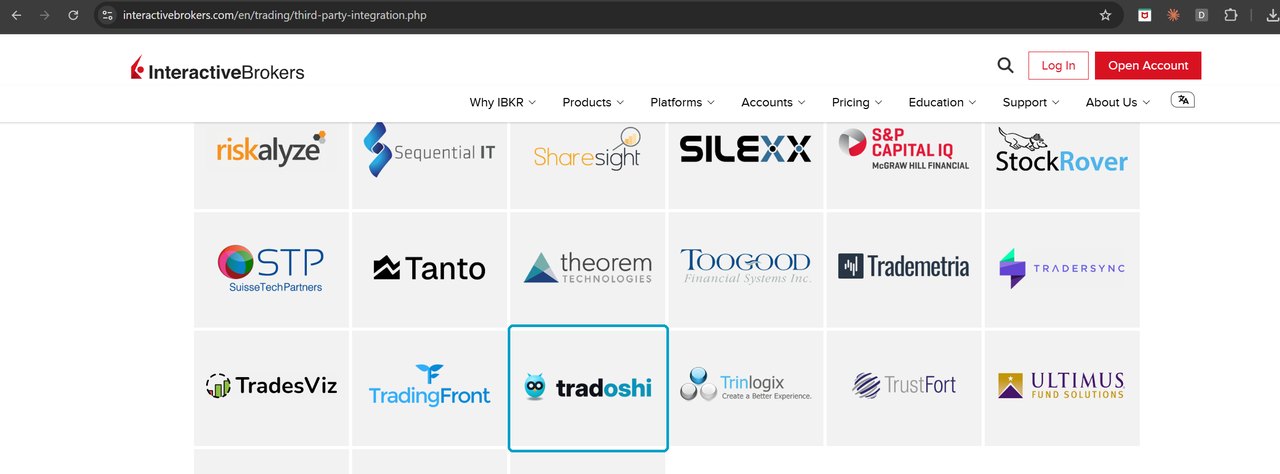
- IBKR enables it for your account, there is no query to create or renew, Tradoshi receives your account's real balance, and your history is retrieved automatically in the background. Tradoshi is listed on Interactive Brokers' third-party integrations page.
- IBKR delivers trades at D+1: today's trades show up tomorrow (a broker limitation, common to every trading journal).
Tradoshi is listed by Interactive Brokers
On its third-party integrations page, IBKR lists the tools connected to its services. Tradoshi is there, among trading journals that have been around for years.
Enable the IBKR direct feed
Ask IBKR to enable the Tradoshi feed
Write to reportingintegration@interactivebrokers.com, or to your IBKR sales representative, giving your account number and asking for the Tradoshi Web Service feed. This is the route IBKR itself points to. Two lines are enough:
Subject: Tradoshi Web Service feed

Hello,
Please enable the Tradoshi Web Service feed for my account U1234567.
Thank you.
Replace U1234567 with your account number. IBKR enables the feed and lets you know.
That email is temporary: IBKR is preparing one-click activation from your own portal, with nothing to ask anyone.
Get your two values from the IBKR portal
Once the feed is enabled, open the Client Portal: Performance & Reports → Third-Party Reports → Third-Party Data Feeds, Tradoshi row. The verification code is your token, the query ID is your Query ID.
IBKR advises waiting until the business day after activation before entering them: the first statement is only filed then.
Then go to the last step, in Tradoshi.
Last step · Paste both values into Tradoshi
Connect your account in Tradoshi
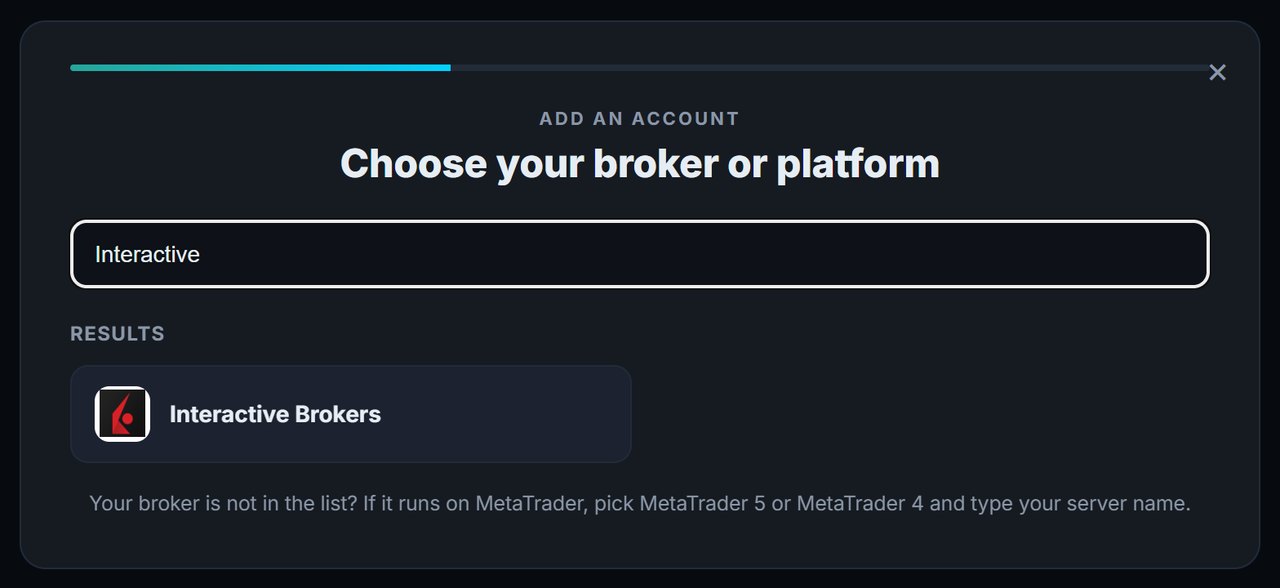
In Tradoshi: Import / Connect → + Add an account, search for Interactive Brokers.
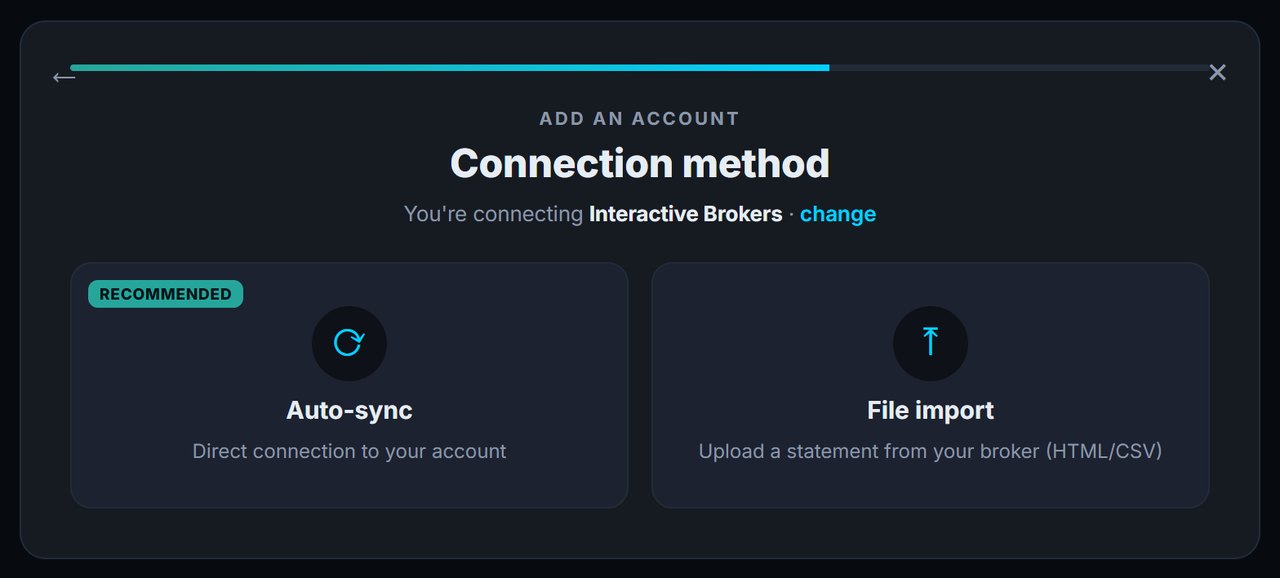
Then choose Auto-sync, the direct connection to your account. File import is only for dropping a statement by hand.
Paste your token and your Query ID, then click Connect & sync.
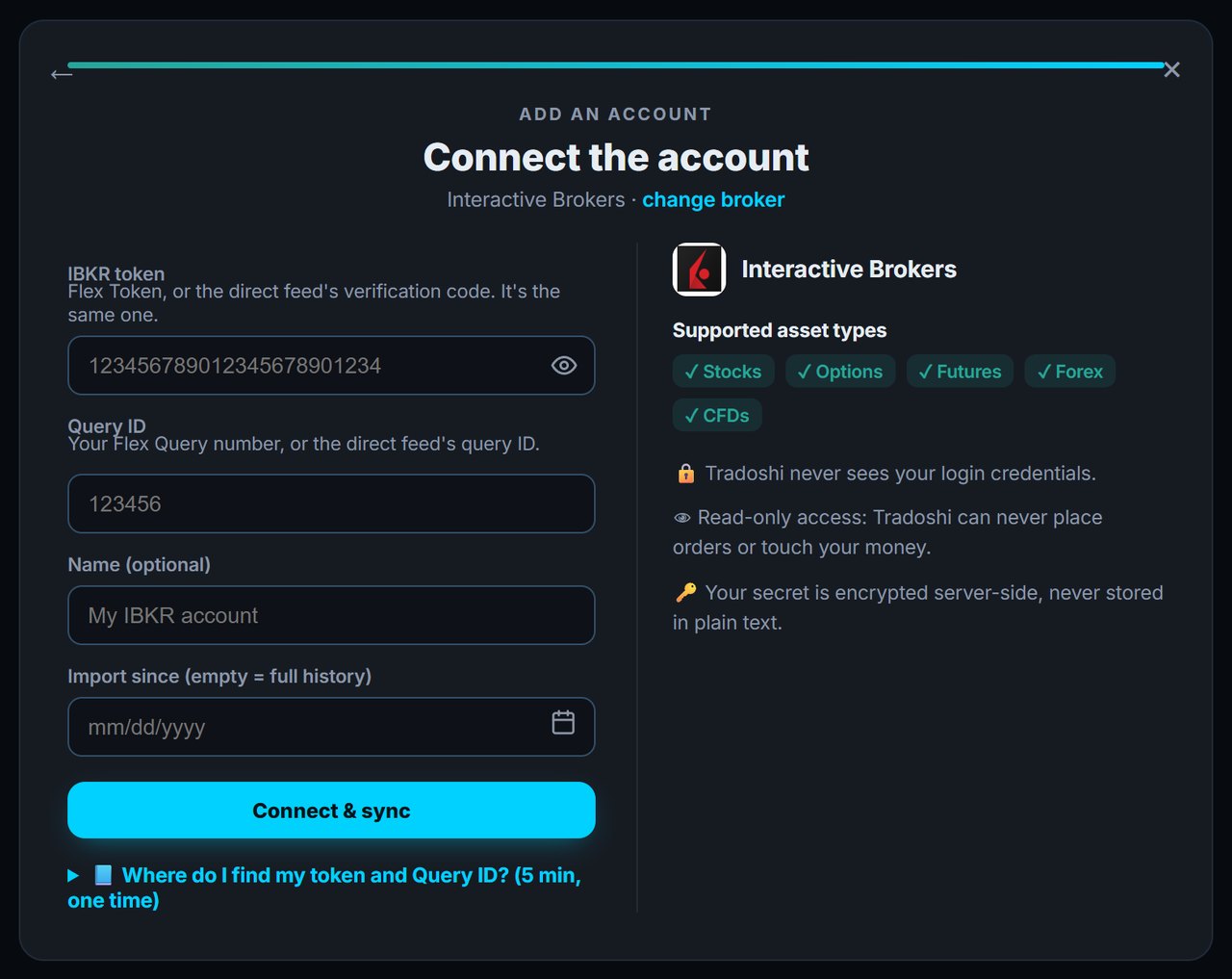
The latest days arrive straight away, then your history is retrieved in the background, one day at a time, at the pace IBKR allows. Allow a few tens of minutes per year of history: it fills in with every sync.
The Import since field is optional: leave it empty for the full history, or pick a date to journal only from that point on.
Troubleshooting
- Direct feed, no statement right after activation: wait until the next business day, IBKR has not filed the first statement yet.
- Direct feed, your older trades are not showing yet: your history is being retrieved in the background. Sync again a little later.
- Invalid or expired token: generate a new verification code at IBKR and update it in Tradoshi.
- Mixing the two values up: the token is a very long string of digits, the Query ID is 6 or 7 digits. Swap them and the connection fails.
- Brand-new account: IBKR needs at least one full day of delivered activity before the statement contains anything.
Security: what Tradoshi can and cannot do
- Tradoshi never knows your IBKR credentials: the token only gives access to statements.
- Read-only: impossible to place orders, touch your funds or change your account.
- Your token is encrypted server-side, never stored in plain text.