Before you start
- Access to your TradeZella account, long enough to run the export.
- A Tradoshi account. File import is part of every plan, the free one included.
Export your trades from TradeZella
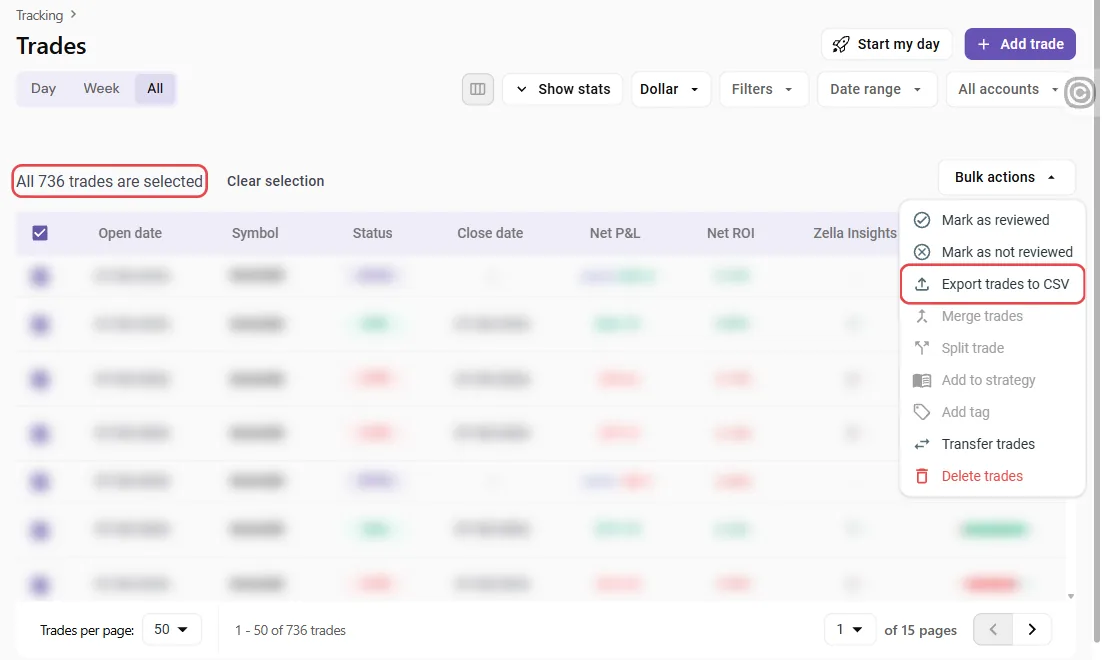
In TradeZella, open Trades and stay on the All tab, which lists every trade. Tick the box at the top of the table, then click Select all … trades right above it: without that click, only the trades on the current page (50 by default) are exported. Then open Bulk actions and choose Export trades to CSV.
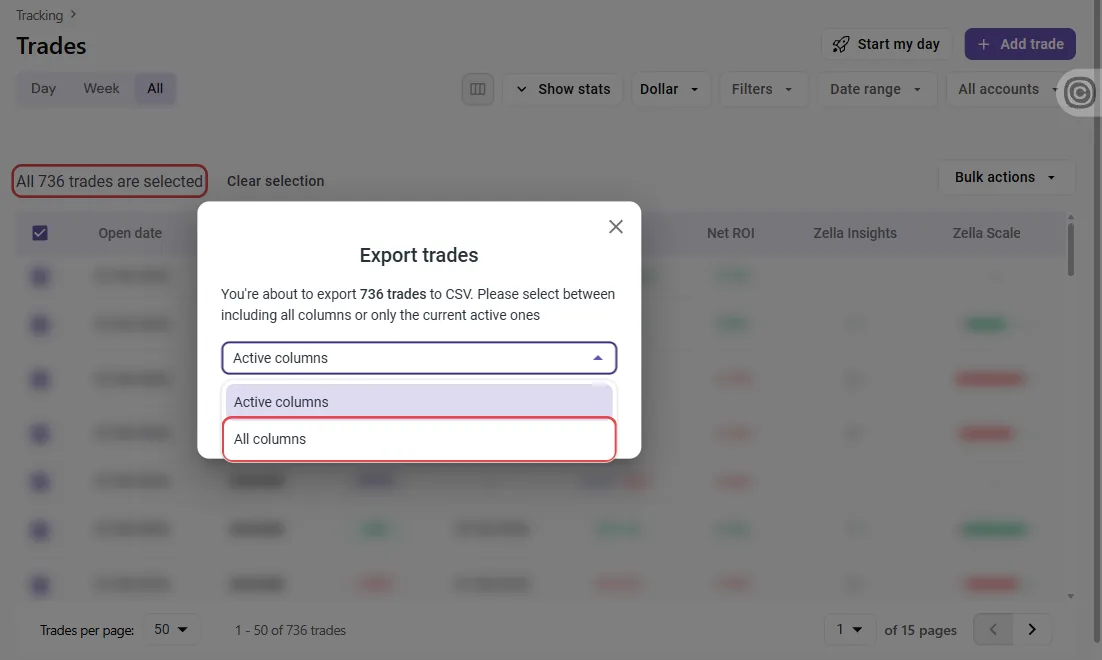
When TradeZella asks which columns to export, choose All columns rather than Active columns: your tags and setups are then part of the file.
One file is enough, even with several TradeZella accounts: every row carries the name of its account.
Drop the file into Tradoshi
In Tradoshi, open Import / Connect, click Import a file and pick the CSV file TradeZella just gave you. Tradoshi recognises a TradeZella export on its own: no column to map, no setting.
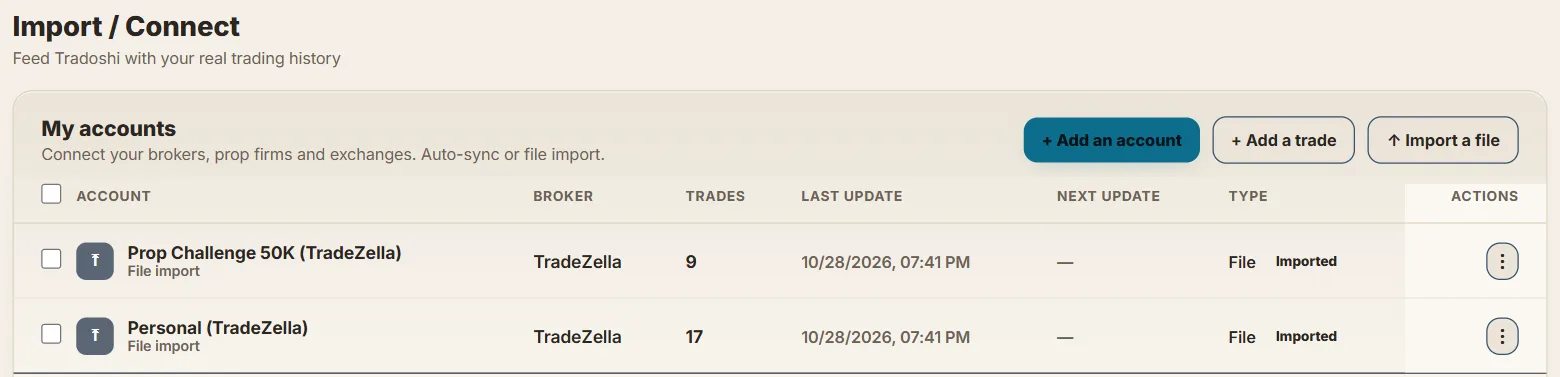
Find your accounts and trades
- One Tradoshi account per TradeZella account. Your personal account and your prop firm challenges stay apart, each with its own trades.
- Every trade in full: open and close, symbol, side, quantity, entry and exit price, fees and result.
- Your tags and setups, including the tag categories you had created.
Good to know
- TradeZella does not export your trade notes. They are not in the file, so Tradoshi cannot bring them over.
- Positions still open are not imported, as their result is not known yet. They will come with your next export, once closed.
- A row with no date, symbol, side or result is left out, and Tradoshi tells you which one.
Next: your new trades, on their own
The import brings your past over. From now on, connect your broker or platform and your trades will arrive with no export:
Still comparing the two journals? Read the Tradoshi vs TradeZella comparison.